Exercise 09 · Web Technology Lab · PahiranGo
Product Management with MySQL Database
Designing the pahirango_db schema in phpMyAdmin, populating product records across categories, and dynamically rendering the PahiranGo storefront from the database using PHP prepared statements.
Environment Note — Why this is a static result page: This module requires a running MySQL server and PHP backend to establish a live database connection. GitHub Pages serves only static files — it cannot execute PHP or query a database. This exercise was successfully executed and verified on a Localhost XAMPP environment.
1
Database Schema Creation in phpMyAdmin
The database pahirango_db was created inside XAMPP's MySQL server via phpMyAdmin. The core products table was designed to store all product information needed by the PahiranGo storefront.
| # | Column Name | Data Type | Null | Role |
|---|---|---|---|---|
| 1 | id | int(11) | No | Unique product identifier (PK) |
| 2 | name | varchar(150) | No | Product display name |
| 3 | category | varchar(50) | No | women / men / cosmetics |
| 4 | price | decimal(10,2) | No | Price in INR |
| 5 | quantity | int(11) | Yes | Stock count |
Screenshot — Step 1: phpMyAdmin table structure
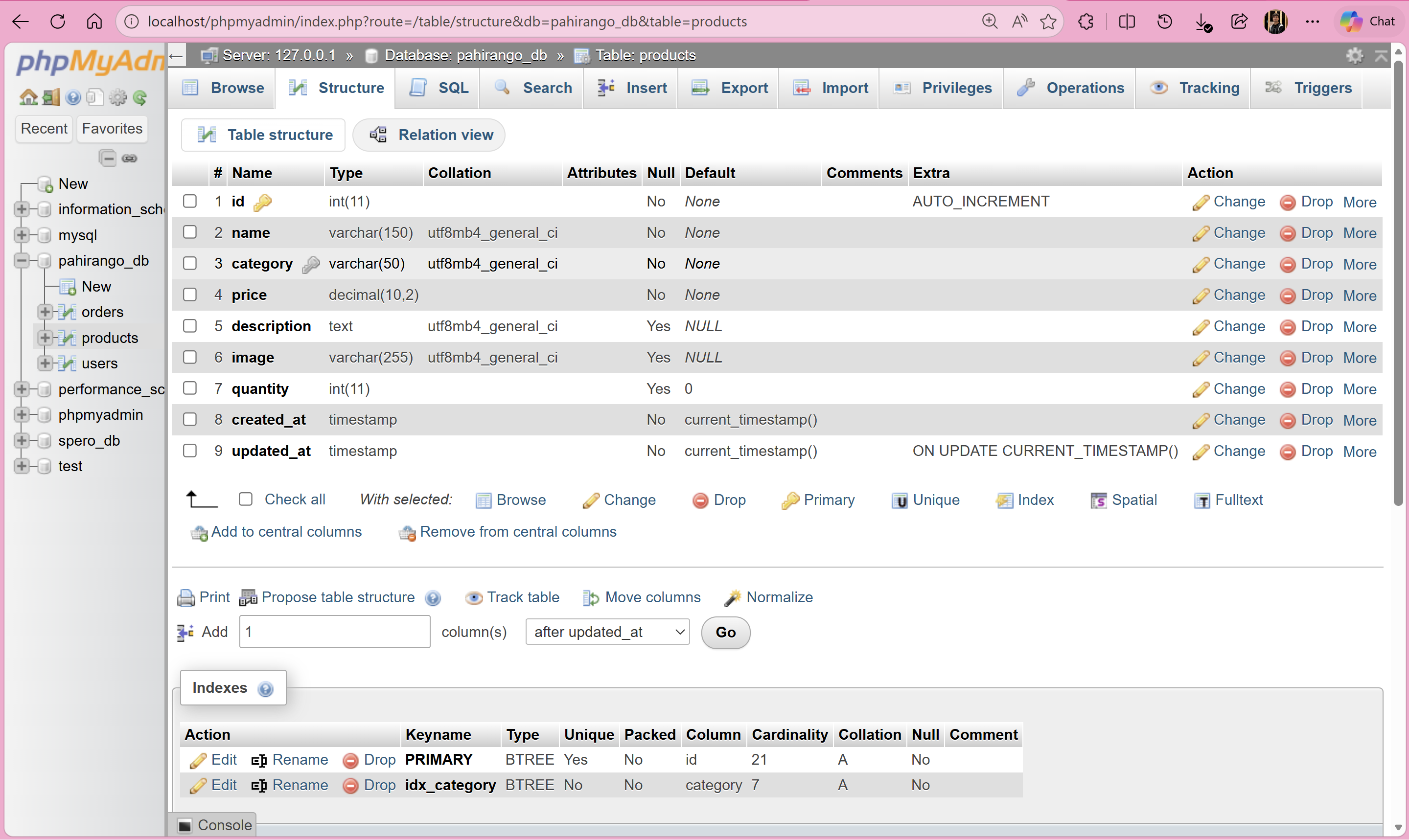
Fig 1.0 — phpMyAdmin Structure tab showing the completed products table.
2
Data Insertion & Persistence
📊 Data Summary: 21 total records — 9 Women's products, 6 Men's products, 6 Cosmetics products. Price range: ₹250 – ₹8,000.
Screenshot — Step 2: phpMyAdmin Browse view showing records
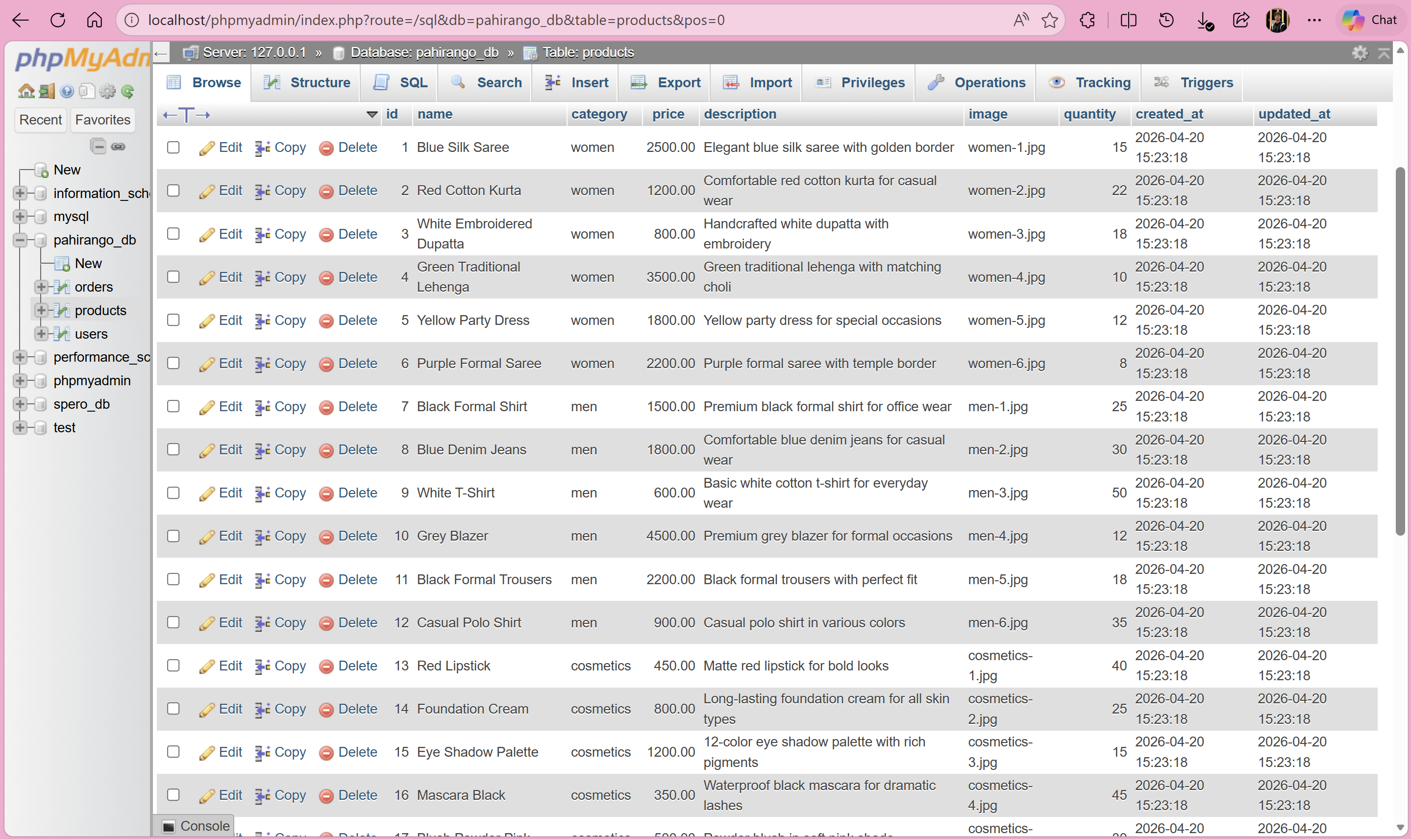
Fig 2.0 — phpMyAdmin Browse tab confirming all 21 product rows stored.
3
Dynamic E-Commerce Storefront
The PHP script connects to MySQL using PDO and executes a prepared statement (SELECT * FROM products) to fetch products, which are then iterated through a loop to dynamically generate HTML product cards.
Screenshot — Step 3a: PahiranGo storefront rendered from MySQL
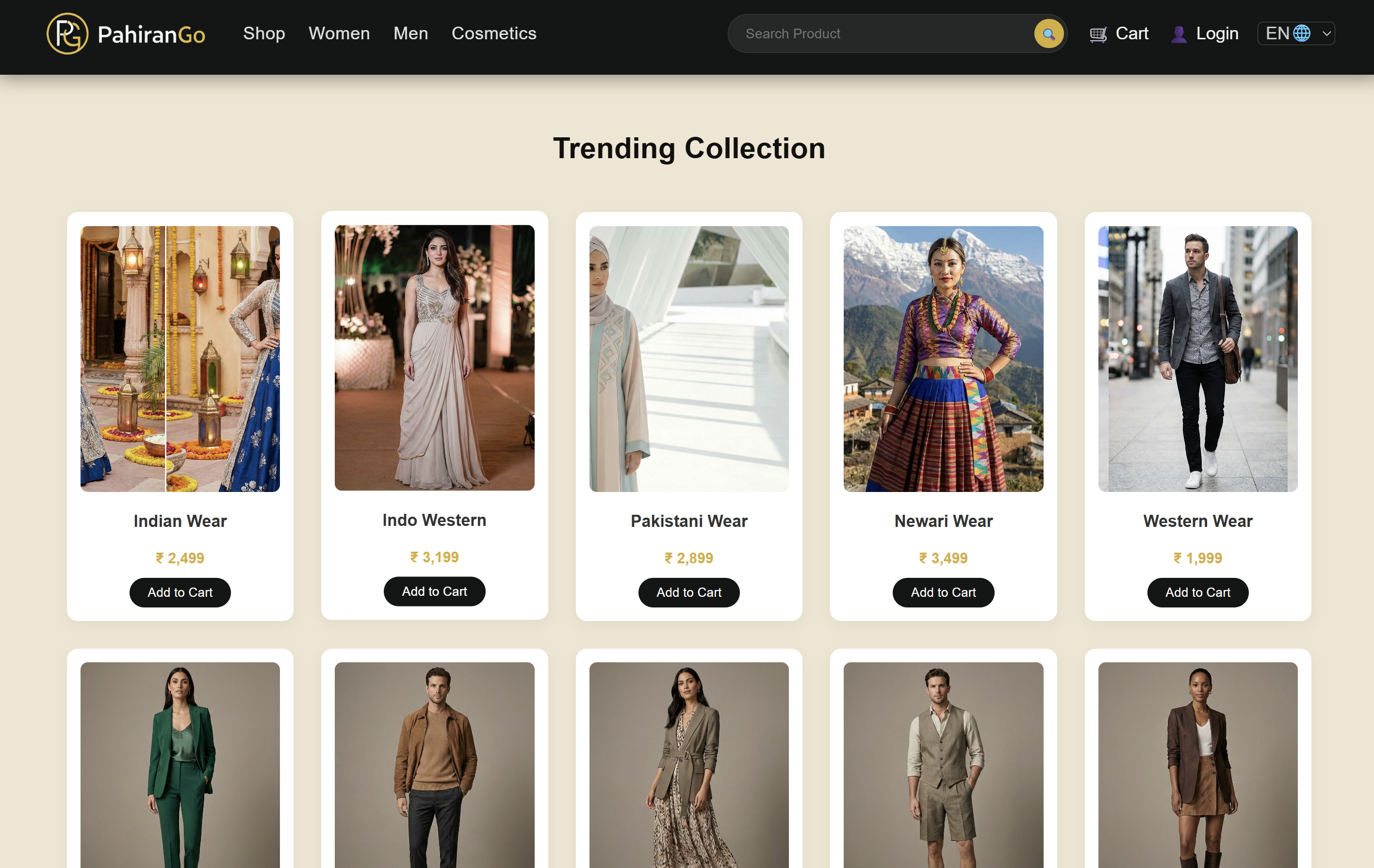
Fig 3.0 — PahiranGo homepage showing dynamically generated product cards.
Step 3b — Full Product Grid View
Screenshot — Step 3b: Extended product grid
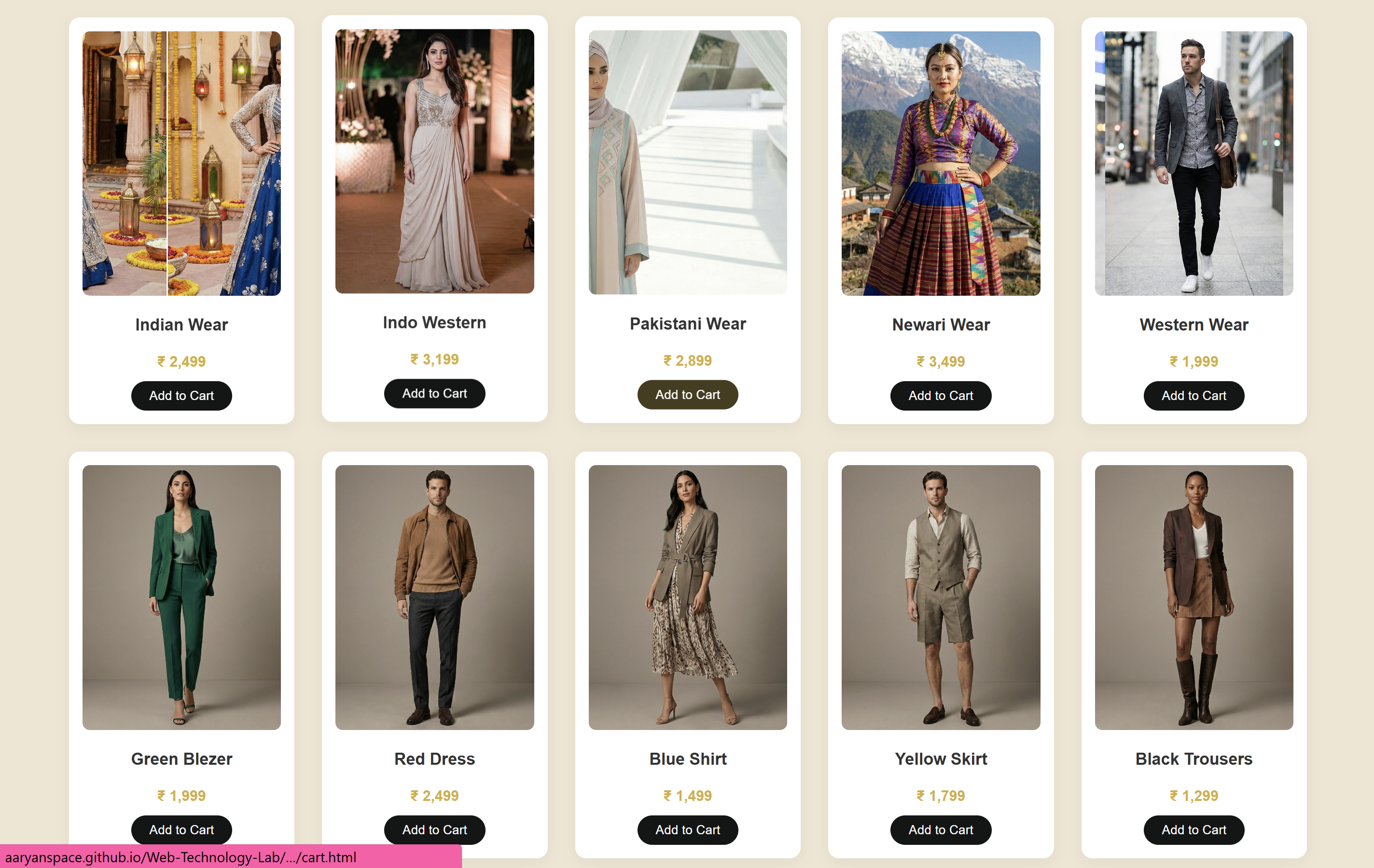
Fig 3.1 — Scrolled view showing multiple rows of products fetched from MySQL.
Exercise 09 verified successfully — products successfully fetched and rendered.